Smash
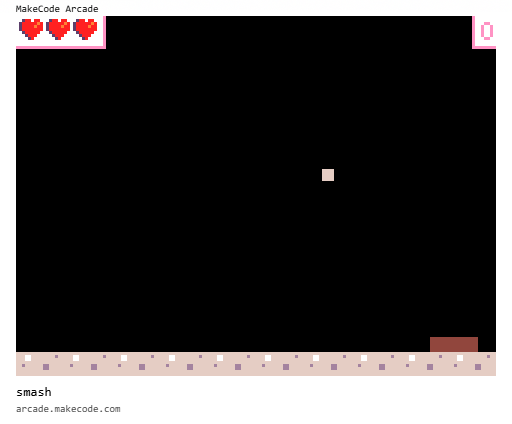
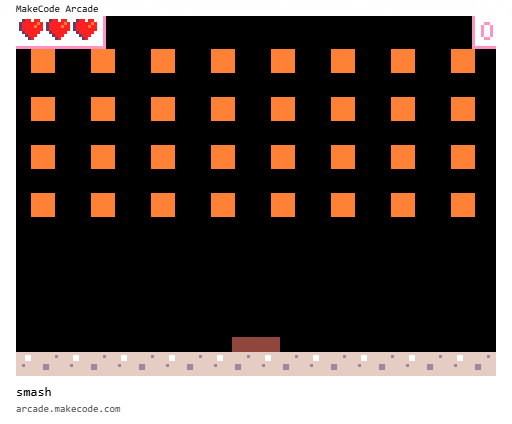
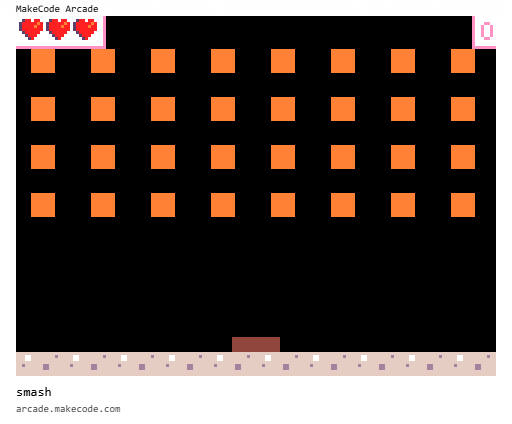
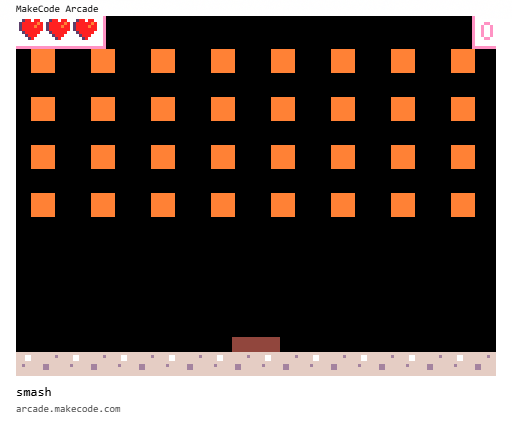
Classic breakout on MakeCode Arcade. Score points by smashing blocks. Lose lives by dropping the ball. The game ends when all lives are lost.
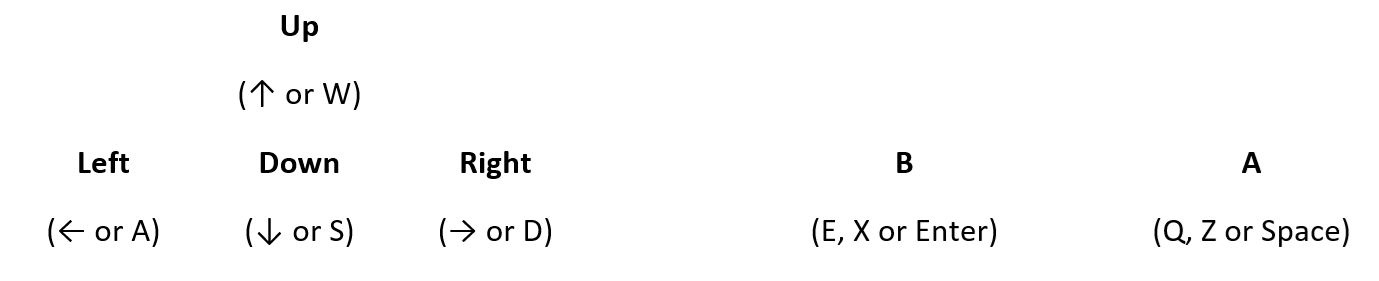
Controls D pad - moves paddle A button - serves ball
Learning outcome
New concepts introduced: Scene and Functions.
This third MakeCode Arcade project builds on the foundations introduced in Chase and Catch, introducing new blocks from the functions section of the toolbox.
This project will typically take 30 to 60 minutes to complete.
The following blocks and concepts are used in this project:
Step 1 - Create a new game
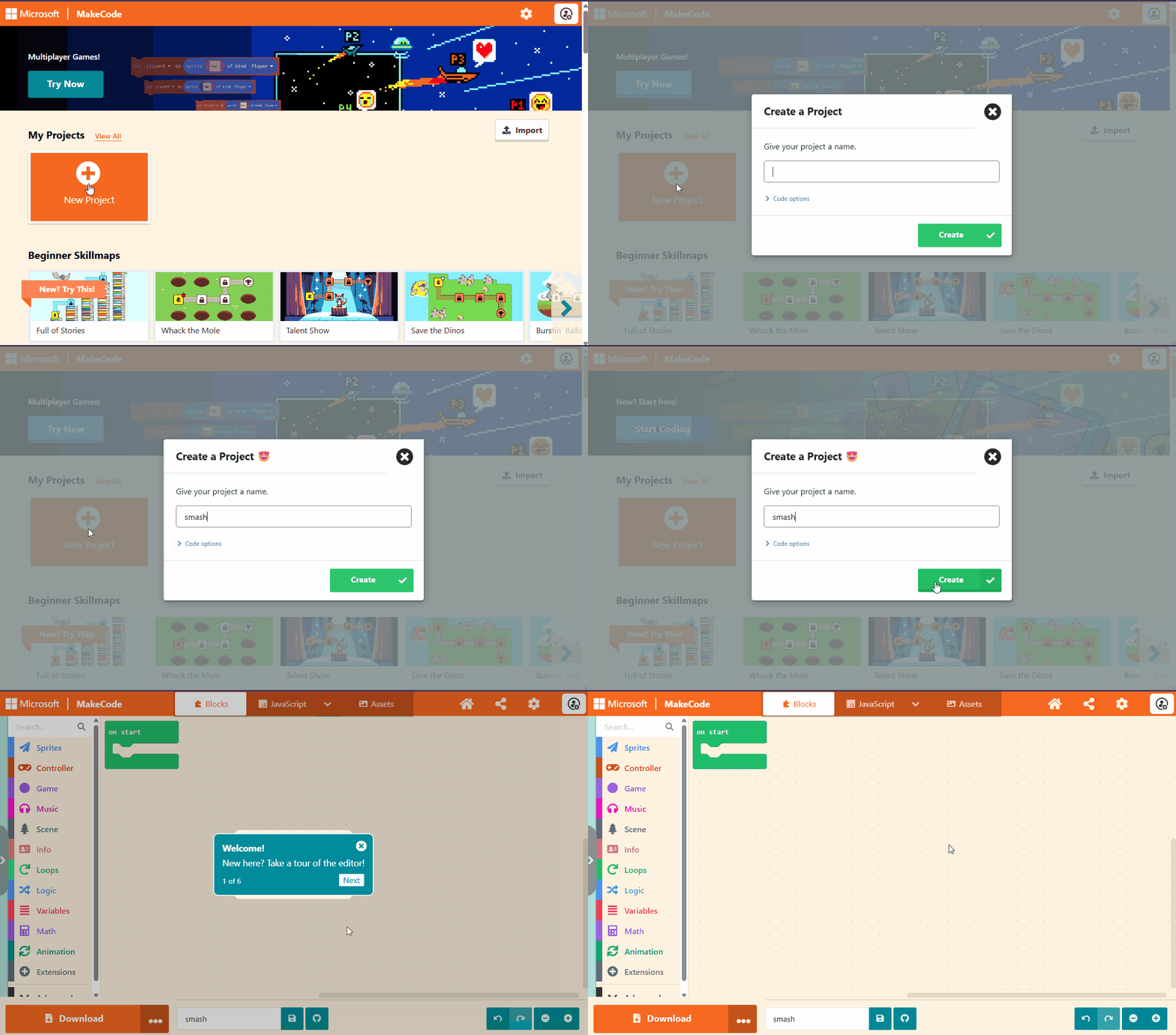
Navigate to the MakeCode Arcade website at the following address
https://arcade.makecode.com and create a new project
called smash as shown below:
Step 2 - Create the paddle sprite and move
The completed code for this step is available here.
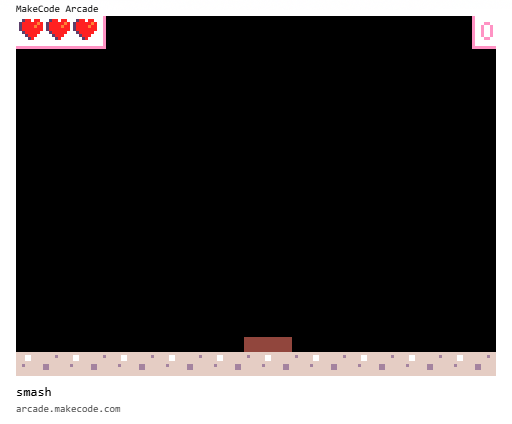
TODO: Details of the size of the paddle to create: 16 x 4 pixels.
The completed code is provided after the animated image.
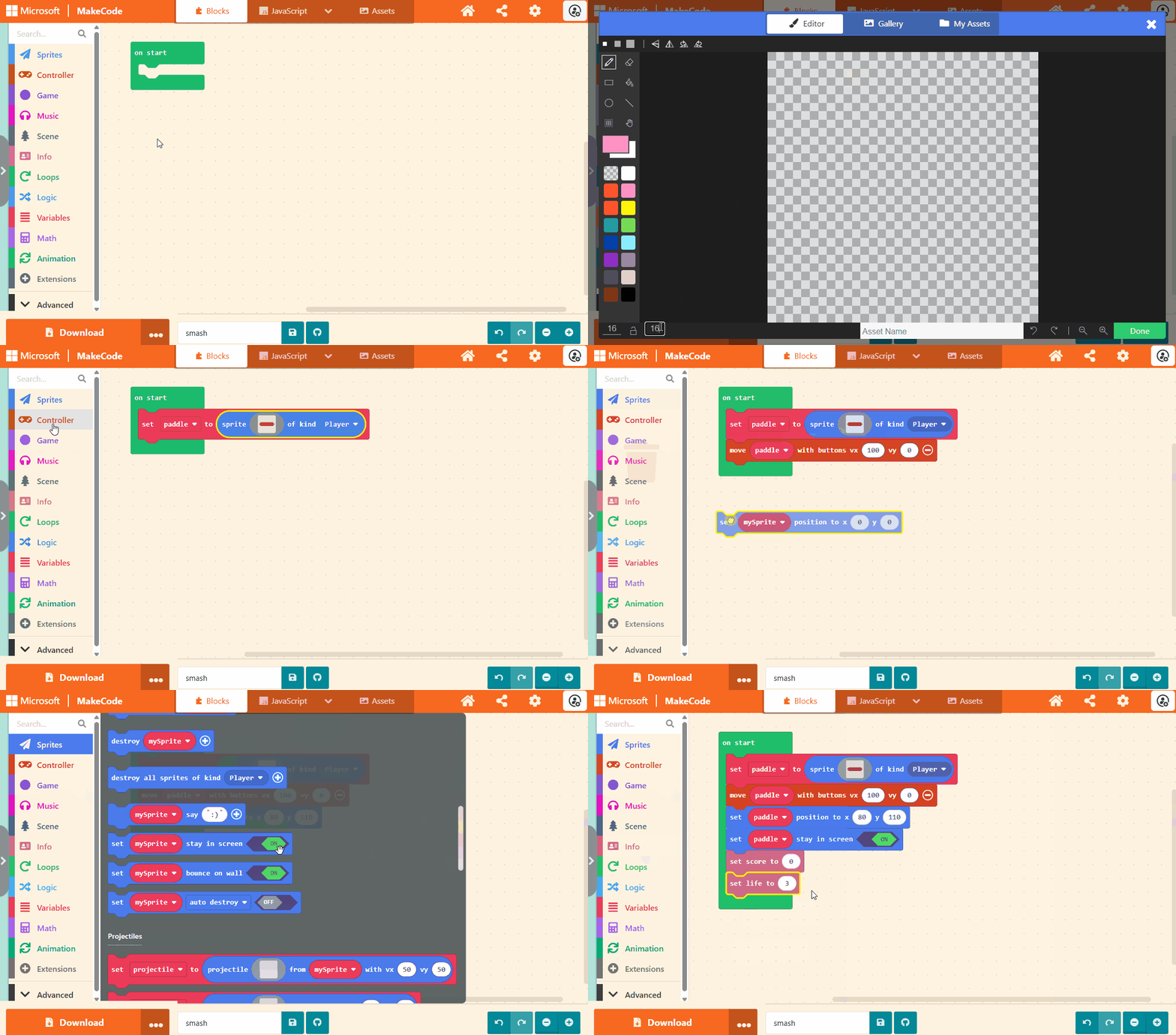
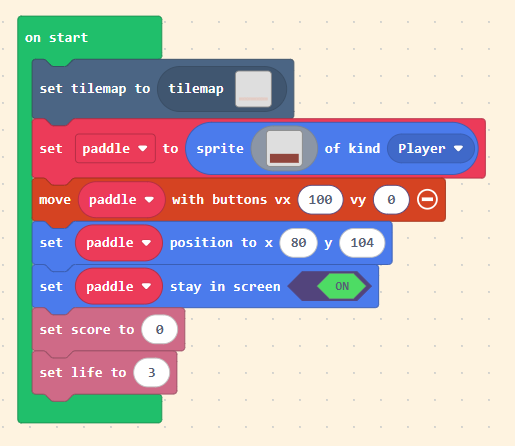
The completed code:
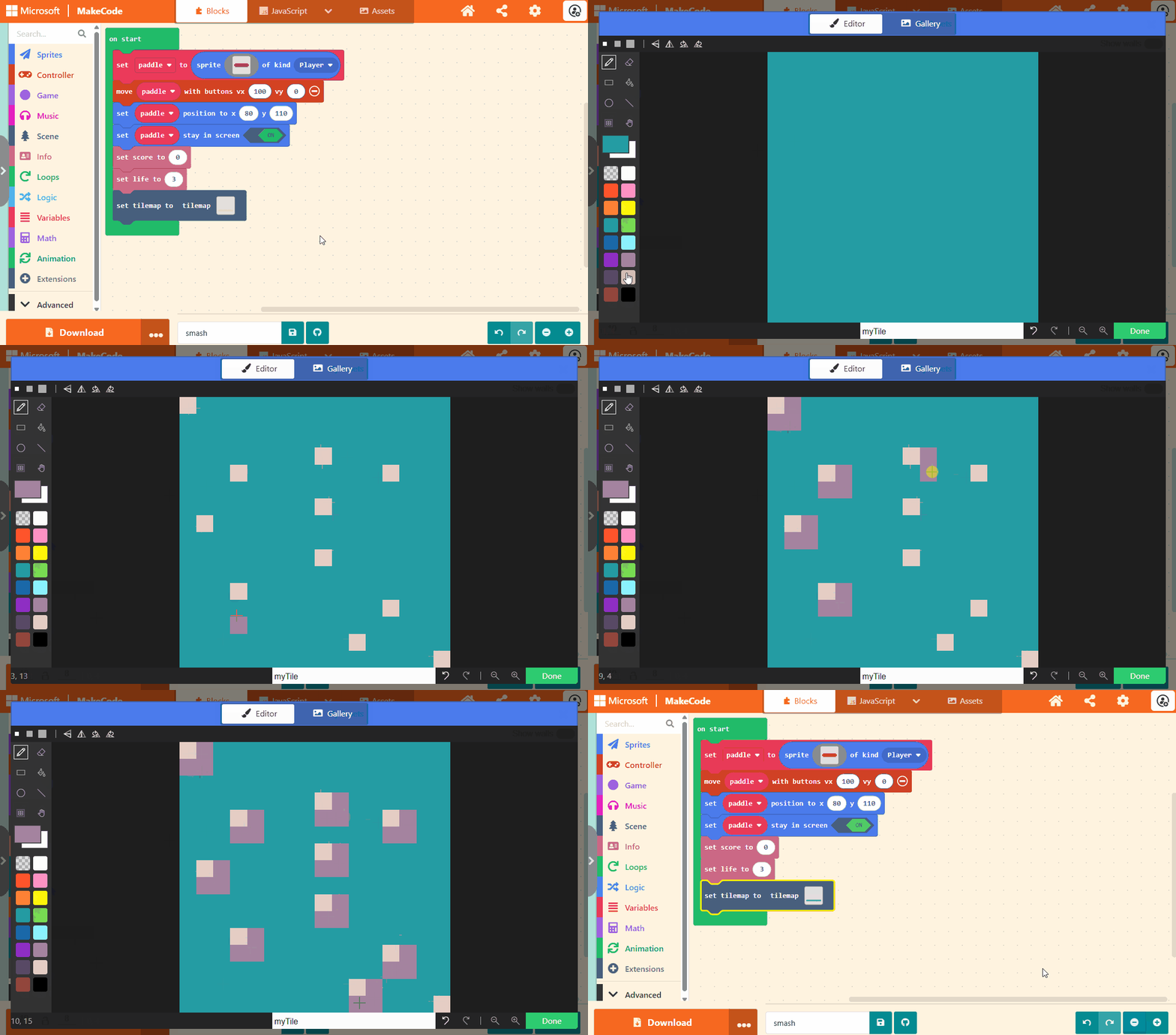
Step 3 - Create a tilemap
The completed code for this step is available here.
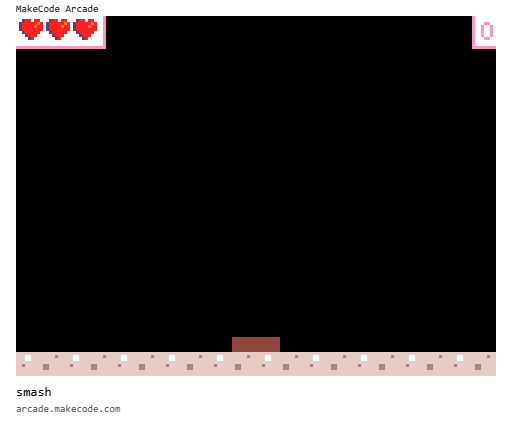
TODO: Explain that we are going to be using a tilemap to draw the bottom of the screen.
This allows us to provide some background but not have to draw a complete picture.
The tilemap is 10 columns by 8 rows. Each tile is 16 x 16 pixels. This gives a resolution the same as the screen (10 x 16) x (8 x 16) = 160 x 120
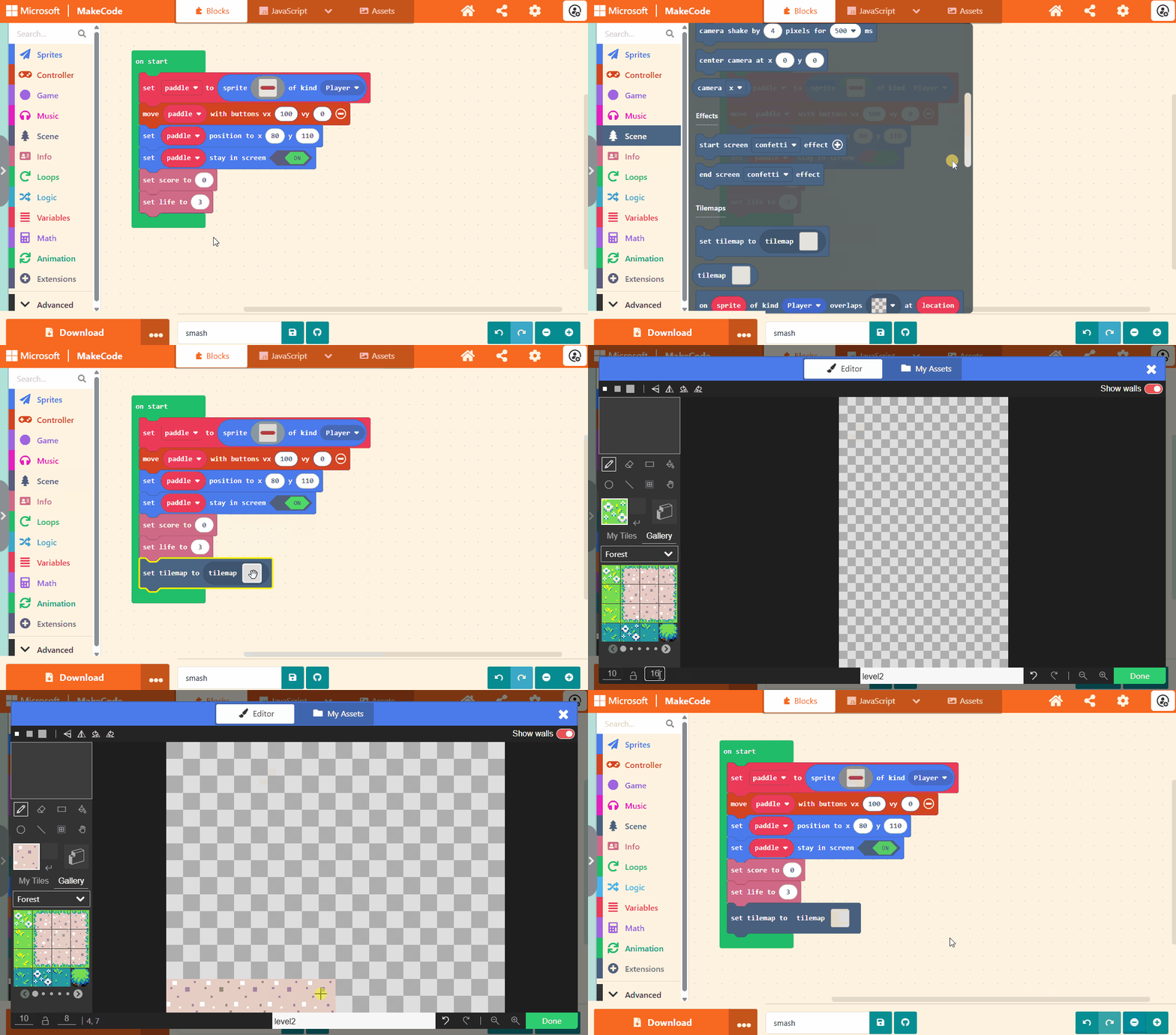
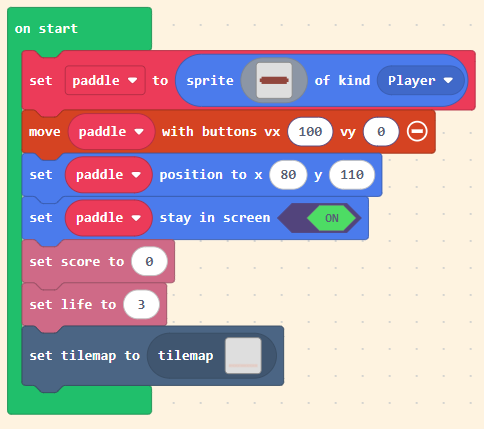
The completed code:
Extension: Create your own background tile
TODO: Explain how to create own tile and use it for the floor.
Extension: Add a background colour
The background is currently black and black is not the most exciting colour. Brighten up your game by choosing a brighter background colour or go all out and draw your own background image.
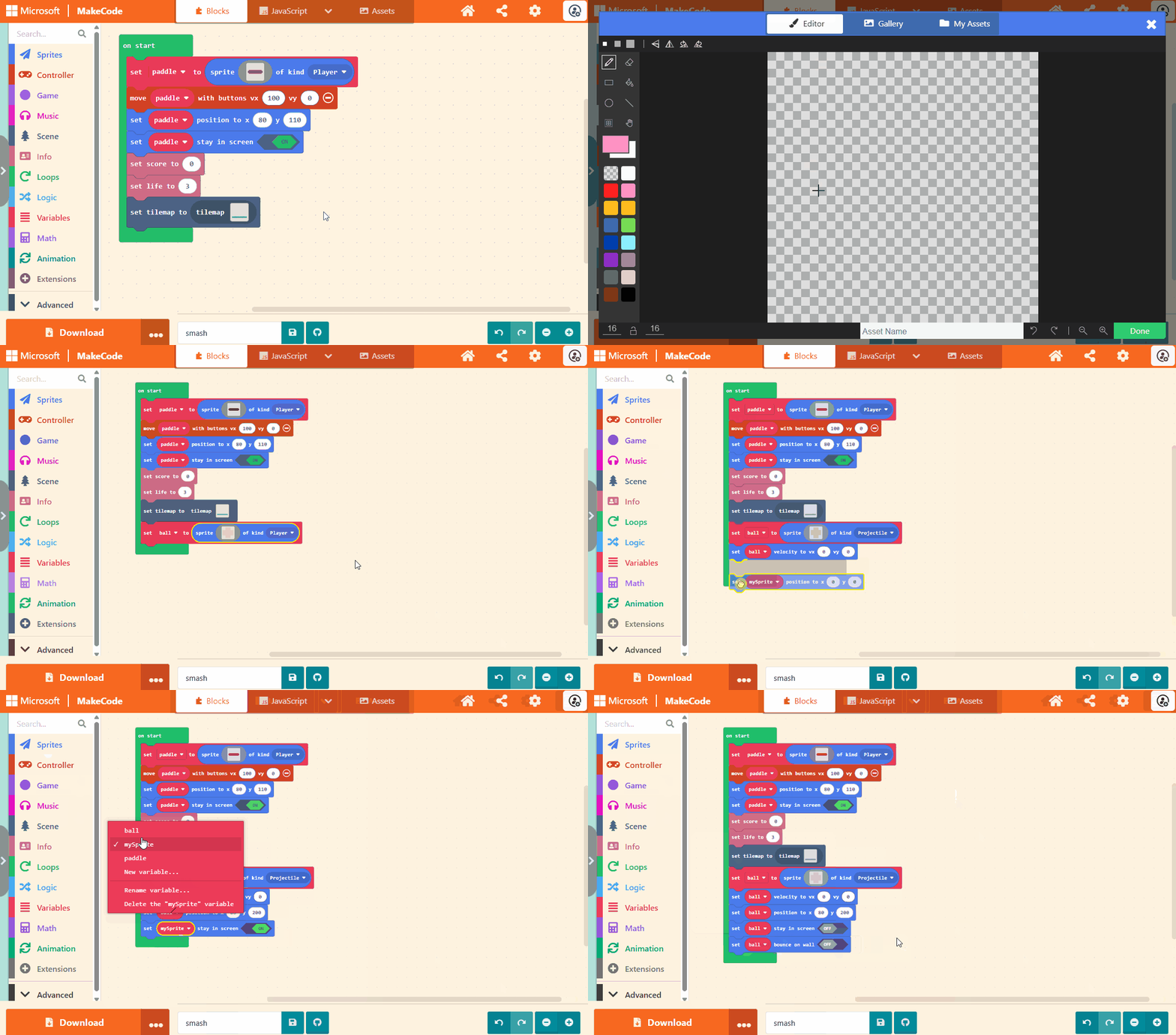
Step 4 - Adding the ball
The completed code for this step is available here.
TODO: Details of the size of image for the ball: 4 x 4 pixels
TODO: Ball can be any colour. Can be a full square or missing corners.
The completed code is provided after the animated image.
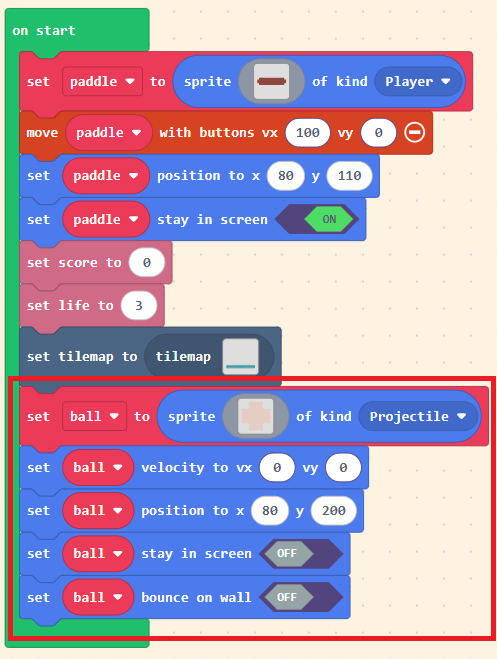
The completed code (newly added code is surrounded by the red box):
Step 5 - Serving the ball
The completed code for this step is available here.
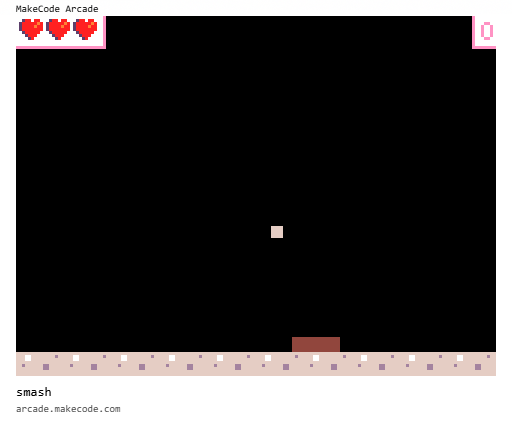
The completed code is provided after the animated image.
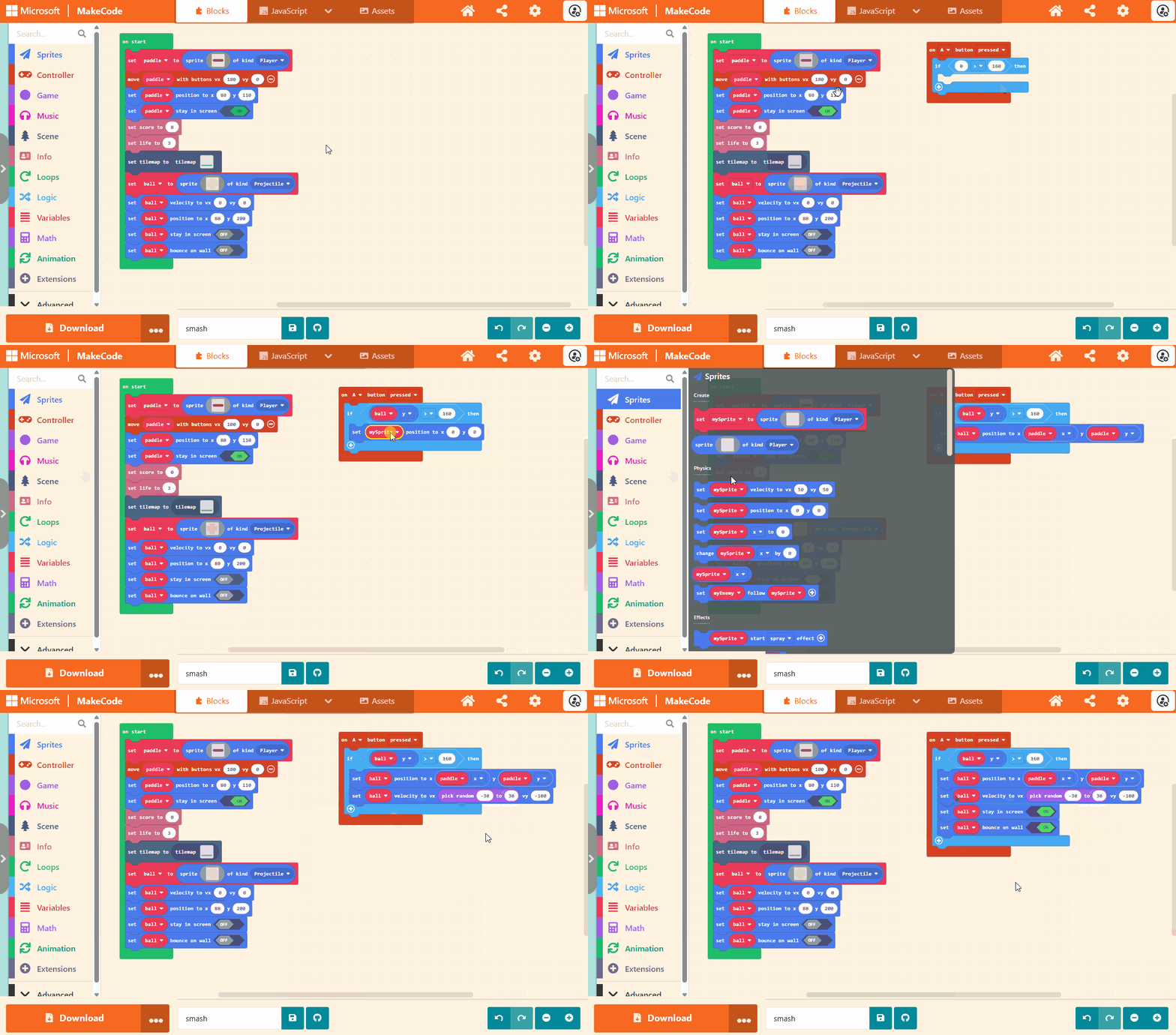
The completed code:
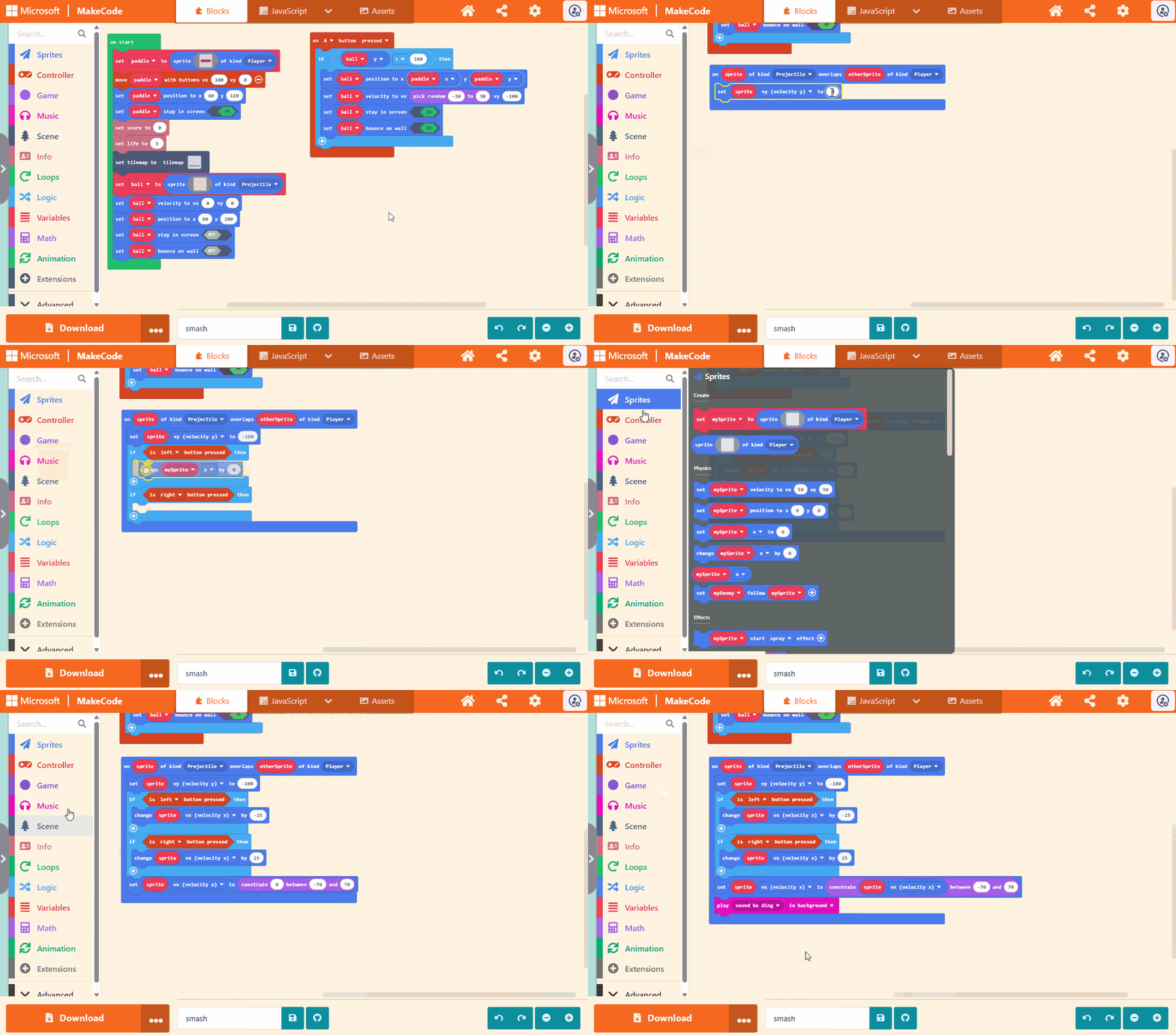
Step 6 - Hitting the ball with the paddle
The completed code for this step is available here.
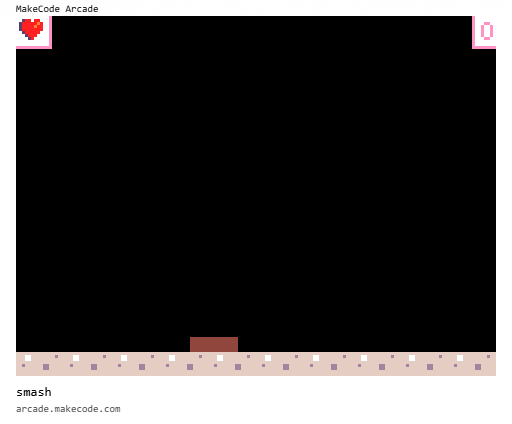
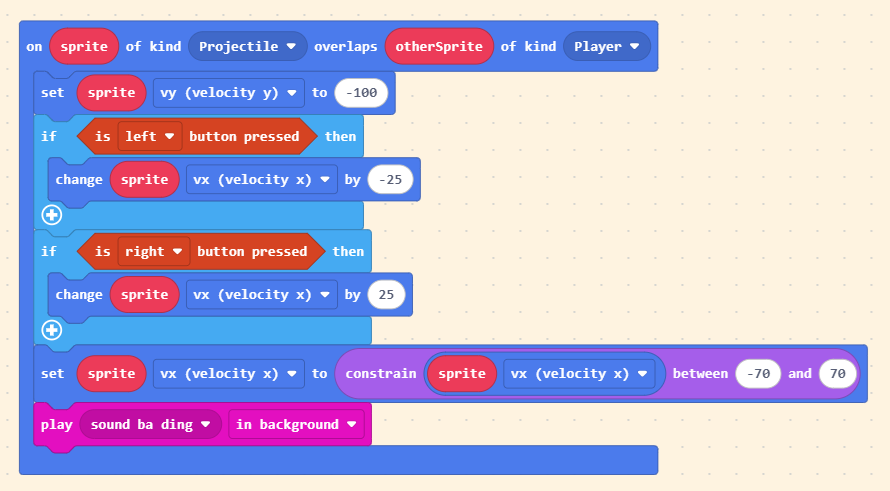
TODO: We add lateral movement based on if the left or right buttons are pressed.
TODO: We constrain the lateral movement to bounds.
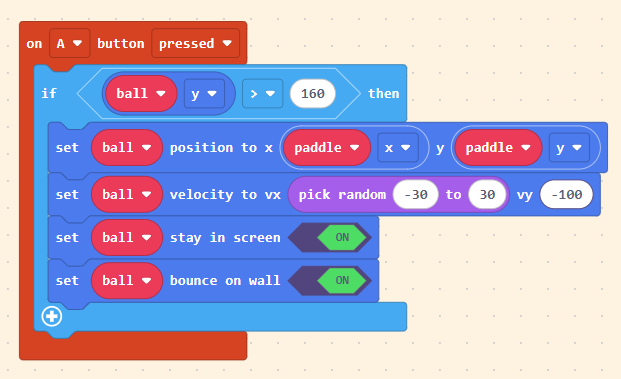
The completed code is provided after the animated image.
The completed code:
Experiment: Add a random element to the lateral movement
TODO: Either entirely random or, a constrained random or a minimum + random amount.
Experiment: Adjust the maximum bounds
TODO: Currently constrained to -70 to 70. Try different limits.
Step 7 - Dropping the ball
The completed code for this step is available here.
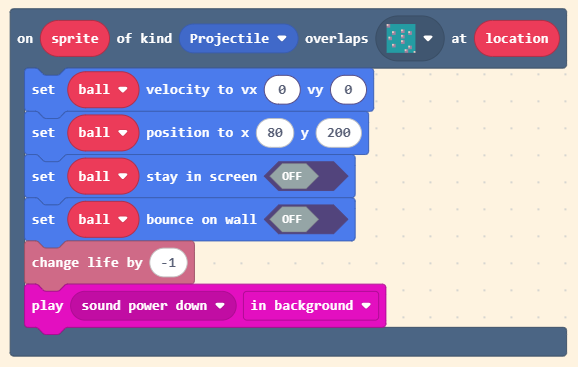
TODO: Make sure to select the same tile as used for the bottom of the screen. In this case, the custom tile is selected.
The completed code is provided after the animated image.
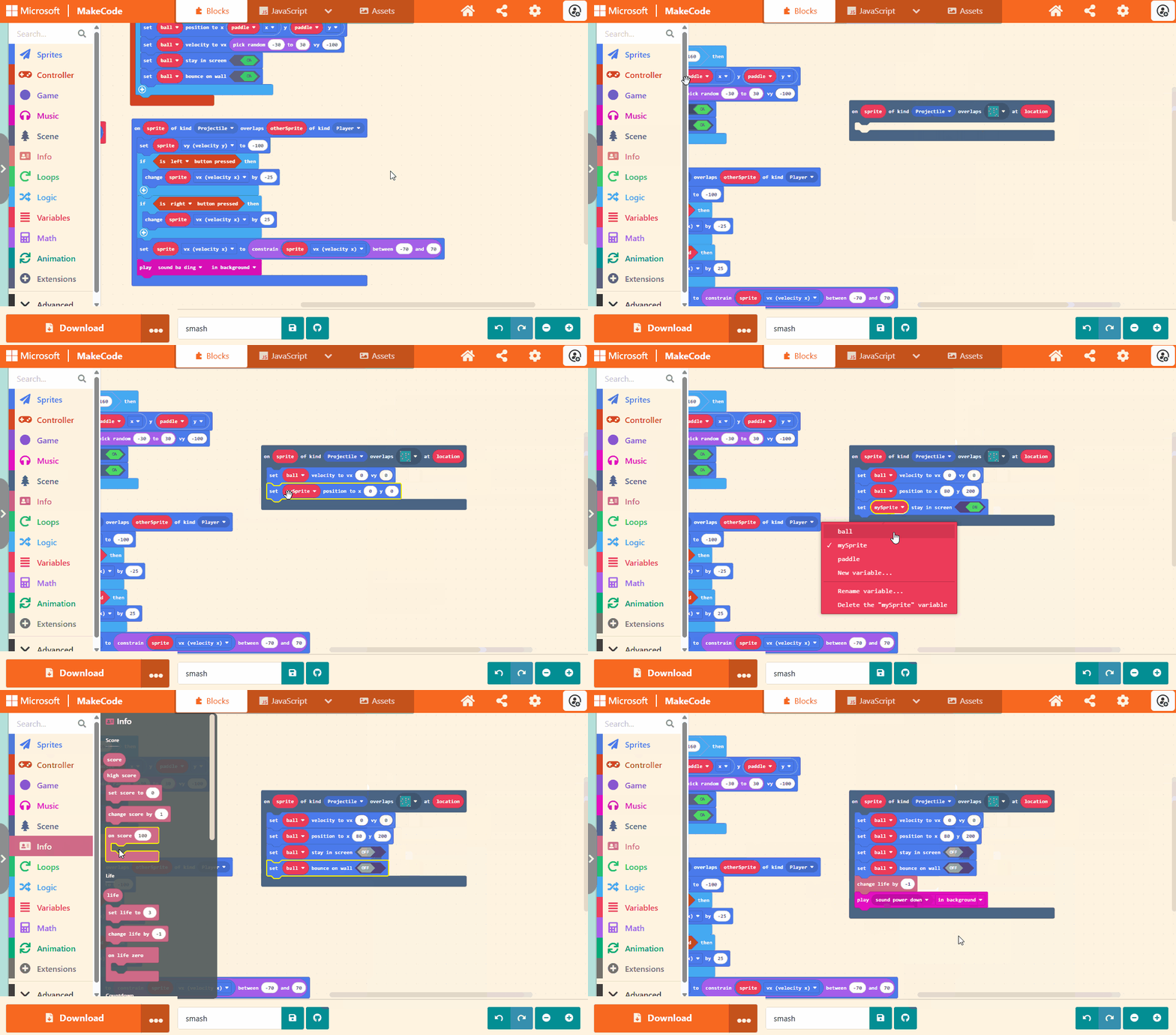
The completed code:
Step 8 - Creating the blocks
The completed code for this step is available here.
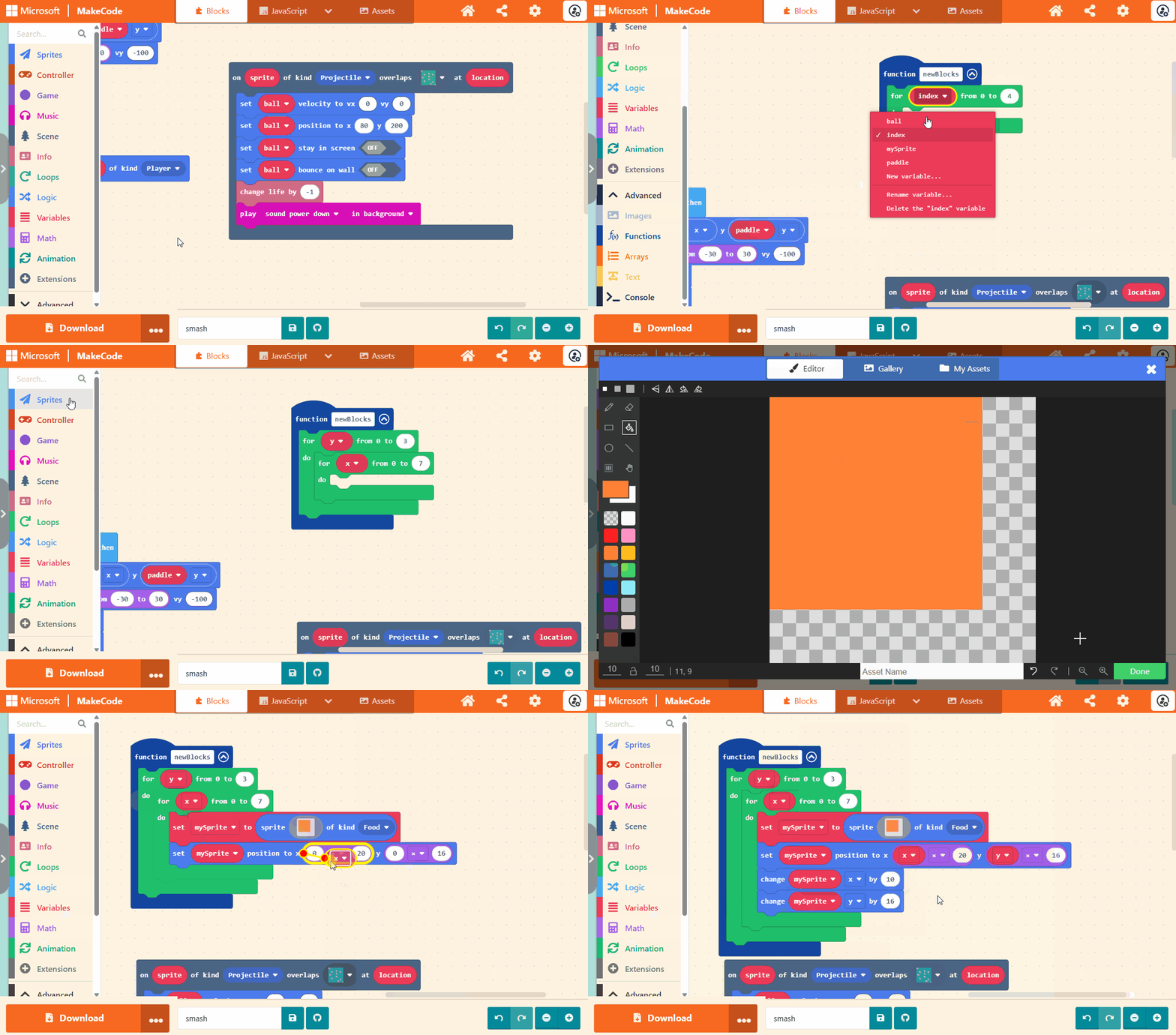
TODO: Sprite is 10 x 10
TODO: Image is 8 x 8
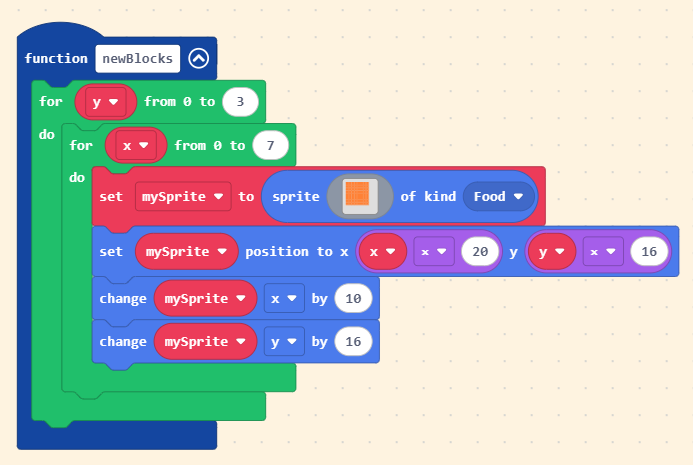
The completed code is for the newBlocks function is provided after the animated image.
The completed code for the function newBlocks:
TODO: Now call newBlocks
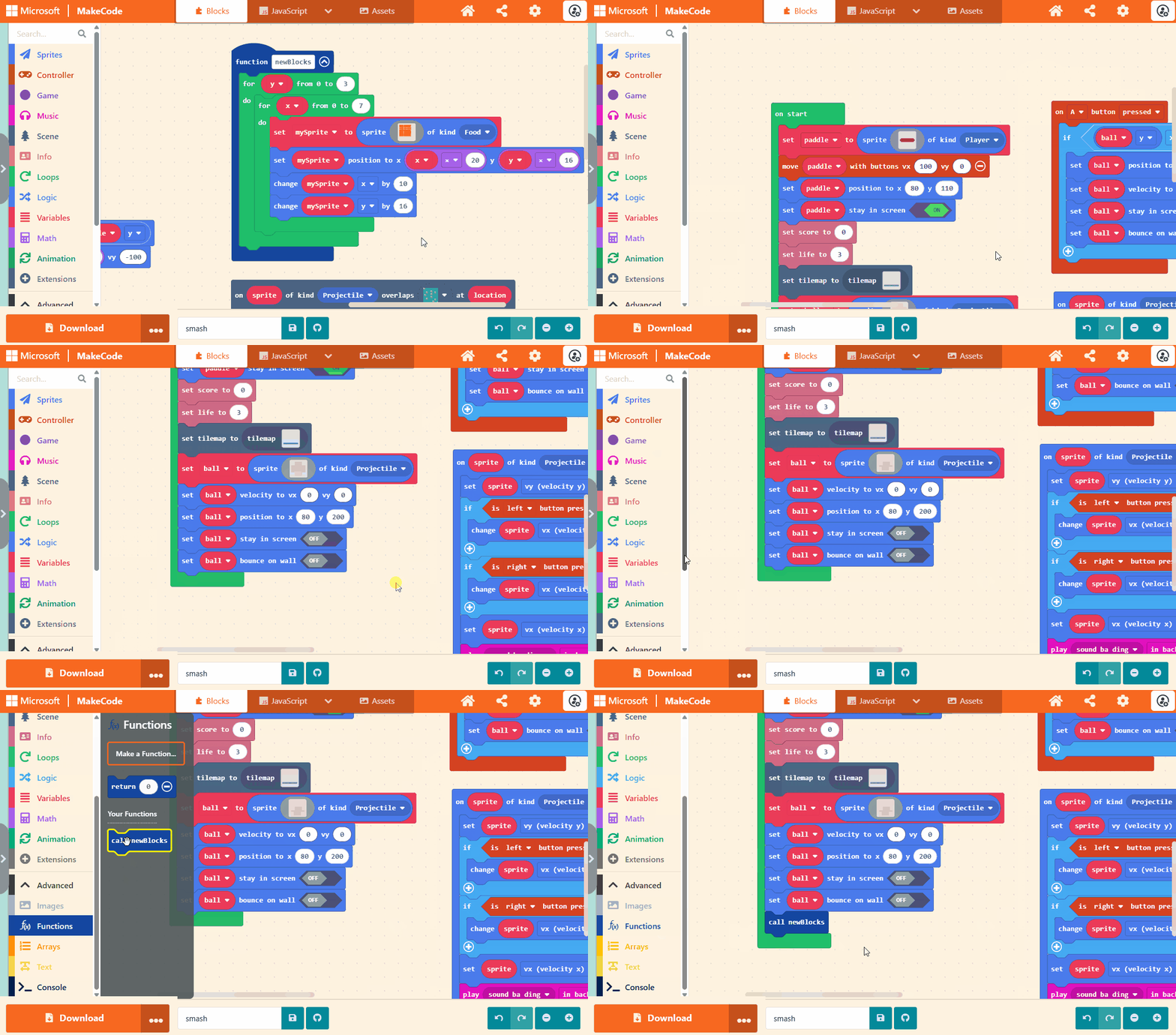
The completed code calling newBlocks (newly added code is surrounded by the red box):
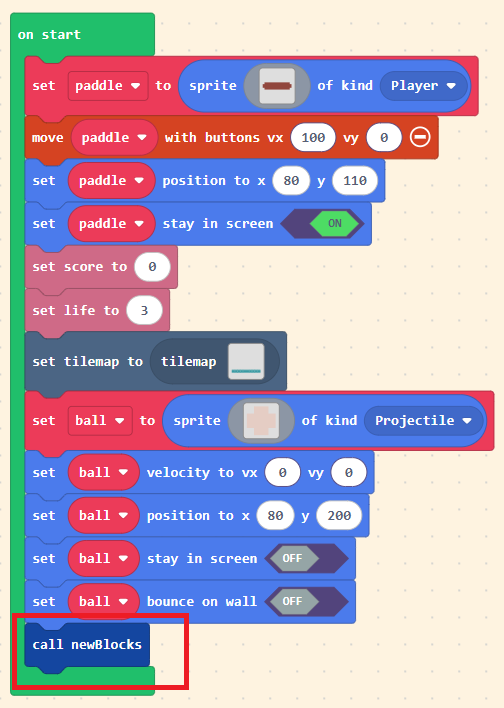
Experiment: Change the colour of the blocks
TODO: Change them to a different single colour.
TODO: Change them to be different colours based on their row.
TODO: Change the size of the block coloured. Add in a black shadow.
Step 9 - Smashing the blocks
The completed code for this step is available here.
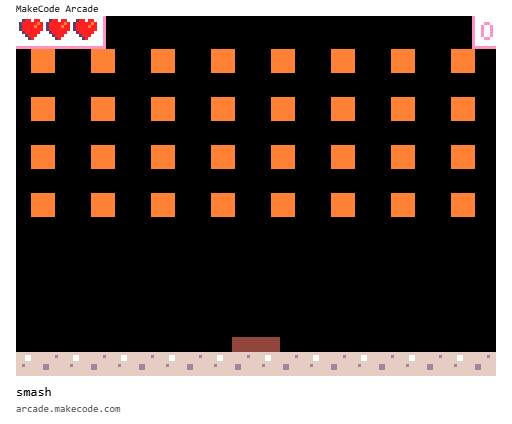
The completed code is provided after the animated image.
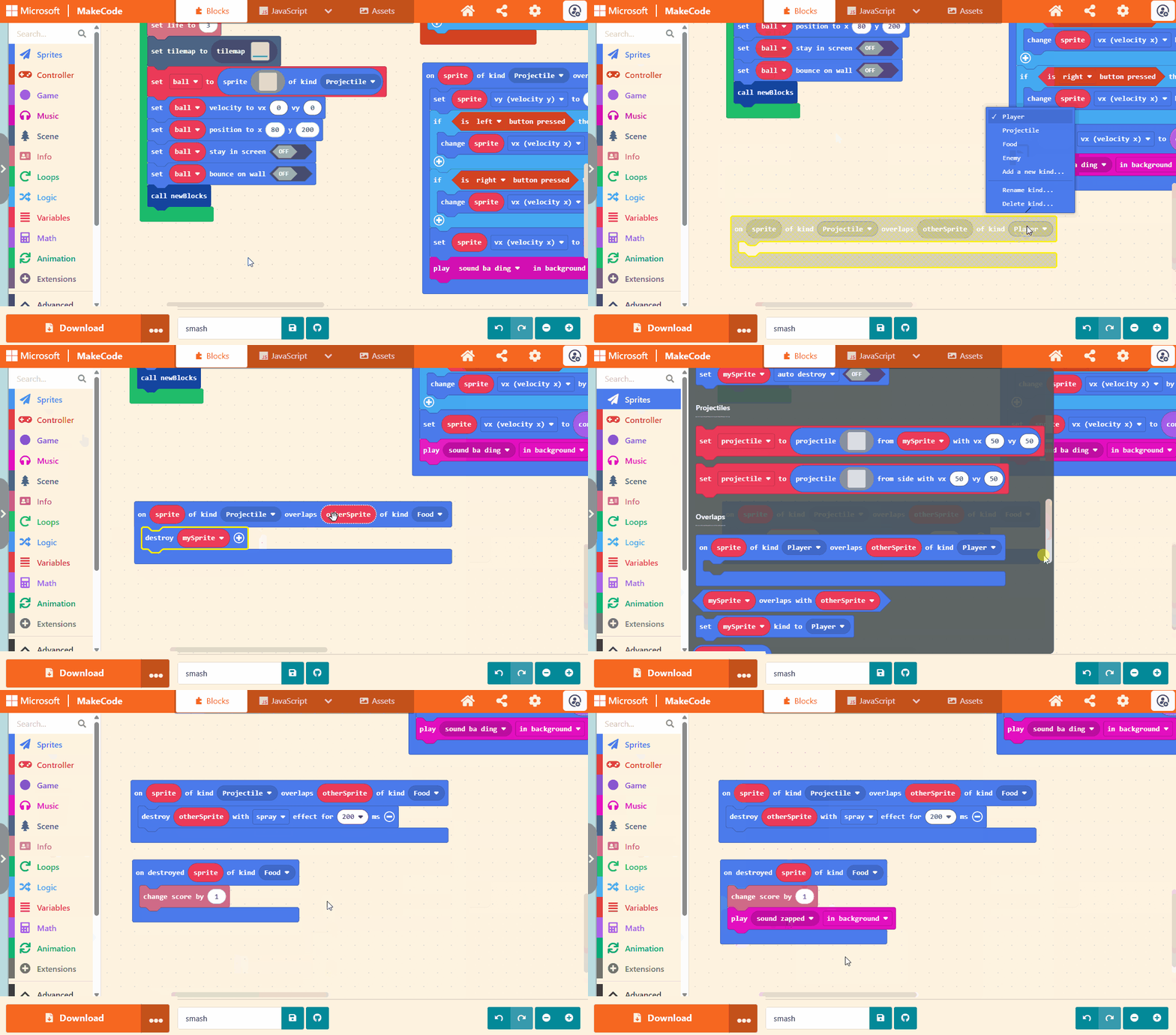
The completed code:
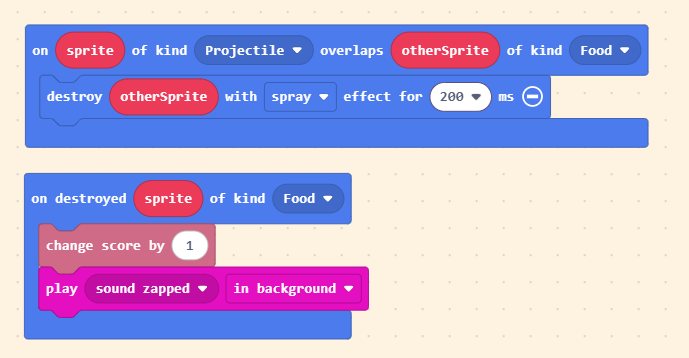
Experiment: Change the effect
TODO: Change the effect from spray to something else.
TODO: What about using a longer time? What happens when you use 5 seconds? How does this affect how long the blocks stay on the screen for?
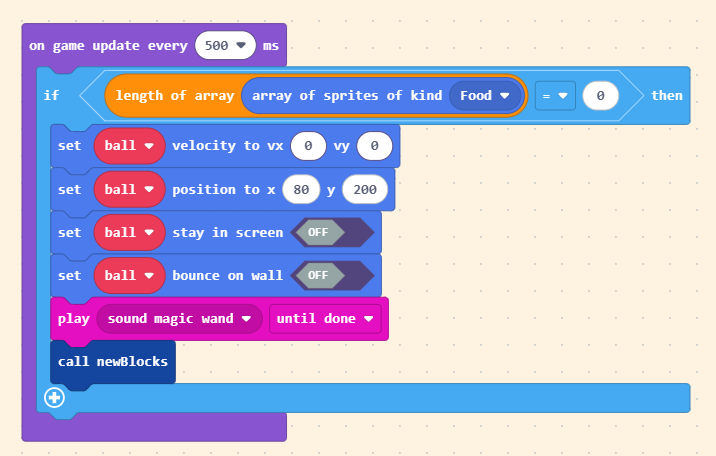
Step 10 - Completing the level
The completed code for this step is available here.
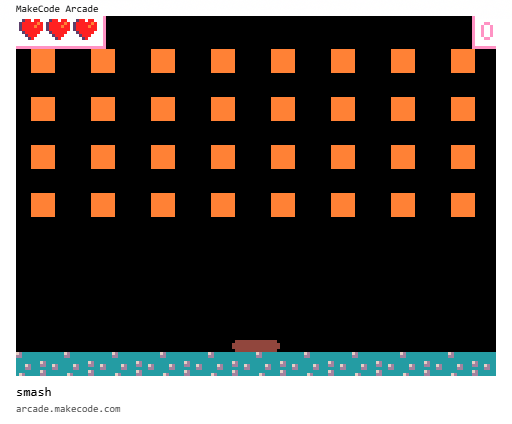
The completed code is provided after the animated image.
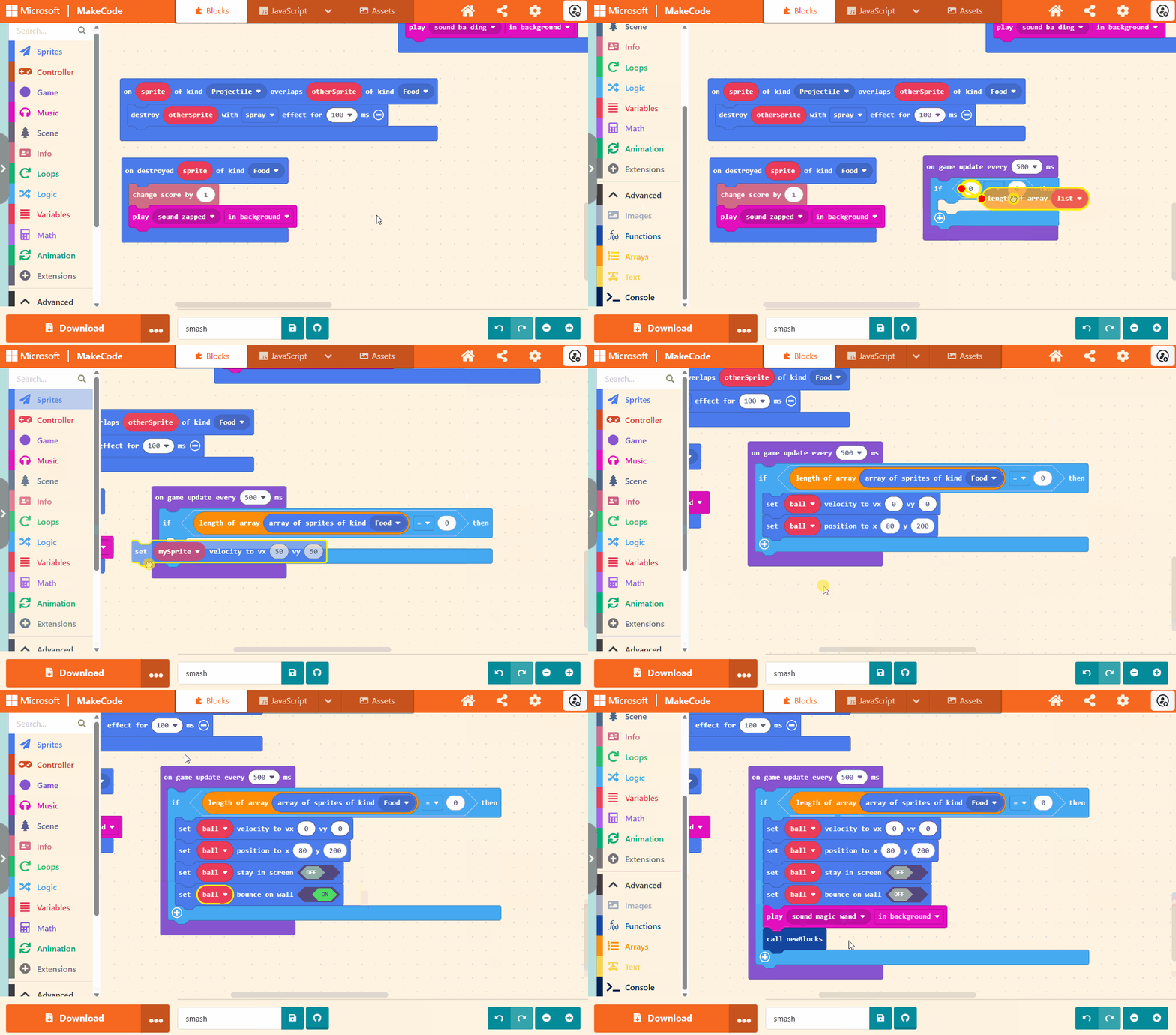
The completed code:
Extending the game
TODO: Make the ball faster as the score increases
TODO: Award a new life for each level cleared
TODO: Make the blocks different colours.
Challenges
Randomly assign different colours to the blocks.
Addendum
The completed code for this game is available here.
Original alpha quality instructions can be found here.